Skip to content
Stack 5 of 6: People and access Onboarding and offboarding on every plan, the rest on Plus

Onboarding, offboarding and Microsoft sign in

Set up new hires, get equipment back from departed users, and let Microsoft Entra ID decide who signs in and keep your employee list current.

Onboarding and offboarding

New hires set up, equipment back from departed users

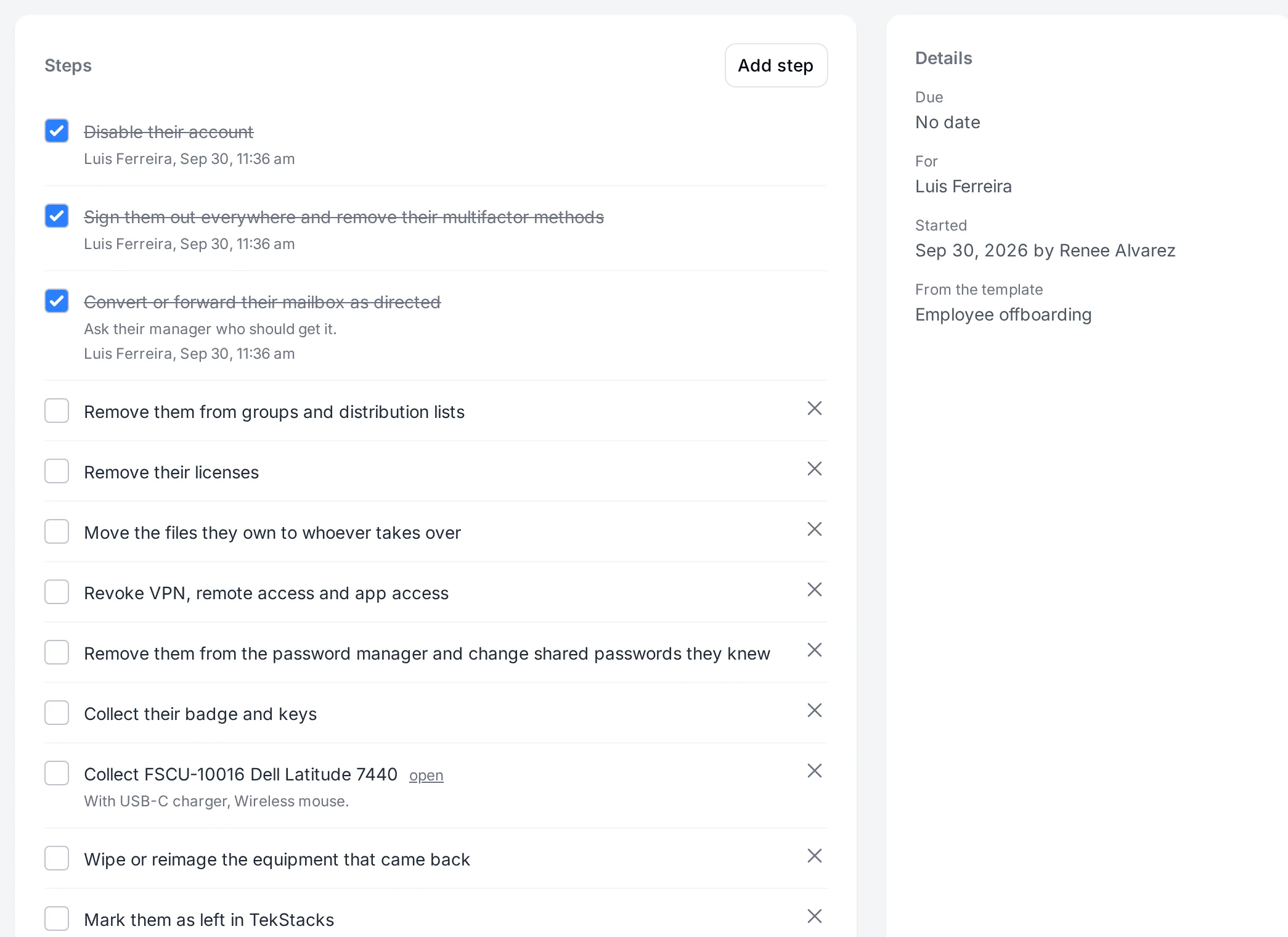
Checklists from your own templates walk through computer setup, onboarding and offboarding. Offboarding lists the equipment the person still holds, so nothing walks out the door.

  • Start automatically when someone joins or leaves
  • Assign steps and see what is overdue
  • Unreturned equipment in one list
An offboarding checklist with some steps ticked and the equipment still to collect.
Your own address Team and up

TekStacks at your own address

Point a name you own, such as assets.yourcompany.com, at your TekStacks and your team signs in there. Add one DNS record and TekStacks checks it and handles the certificate.

  • One DNS record to set up
  • The certificate issued and renewed for you
  • Sign in and links use your address
The Domains settings page with a company domain working and its DNS record checked.
Microsoft Entra ID Team and up

Your Microsoft directory decides who gets in

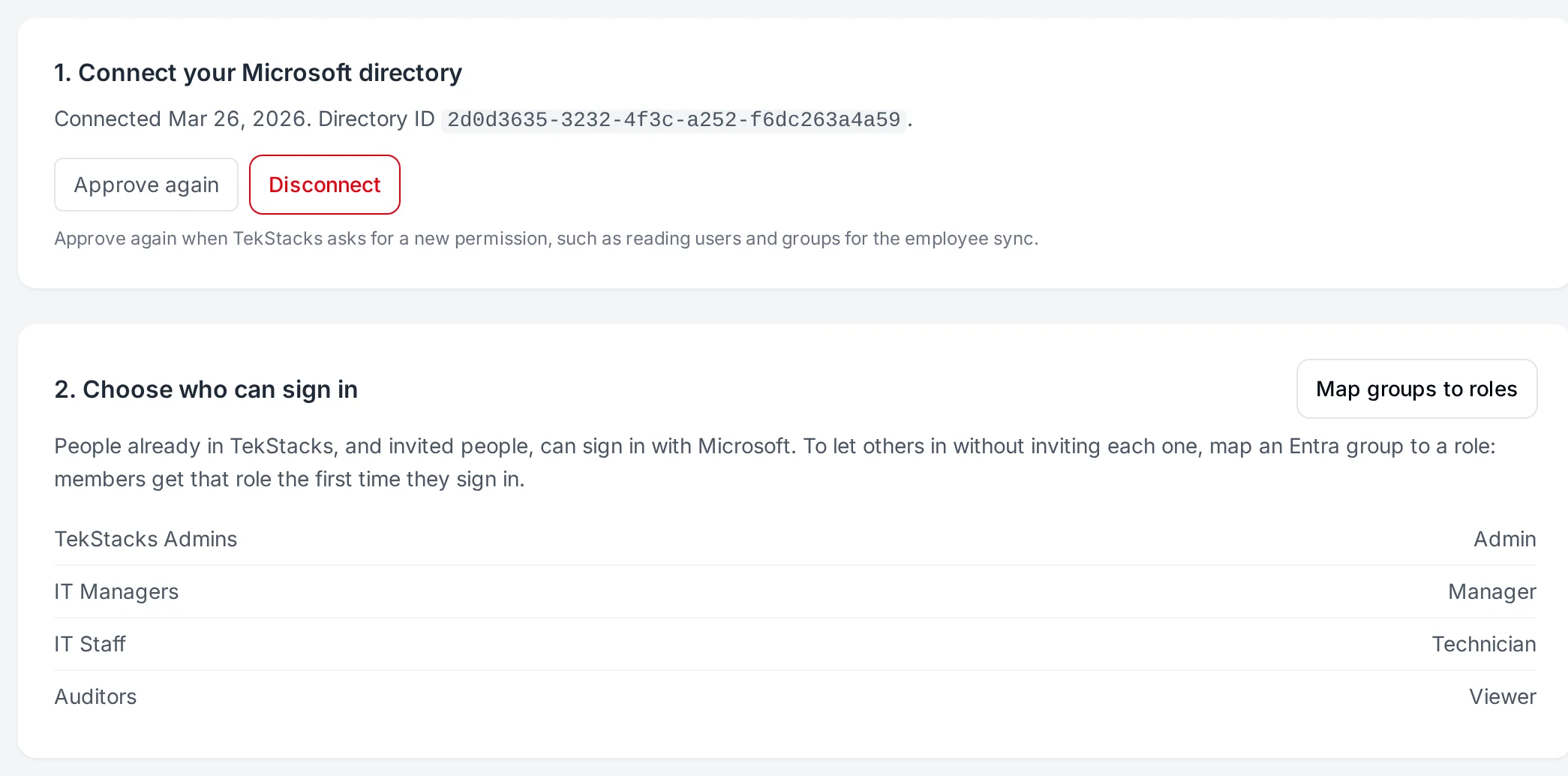
Your team signs in with their Microsoft work accounts, under your own multifactor and conditional access, and Entra groups set each person's role.

  • Single sign on with Microsoft work accounts
  • Entra groups mapped to roles
  • Your multifactor and conditional access apply
  • Make Microsoft the only way in, with break glass recovery for admins
The Microsoft sign in settings with a connected directory and Entra groups mapped to roles.
Provisioning and directory sync Plus and up

Accounts and employees straight from Entra

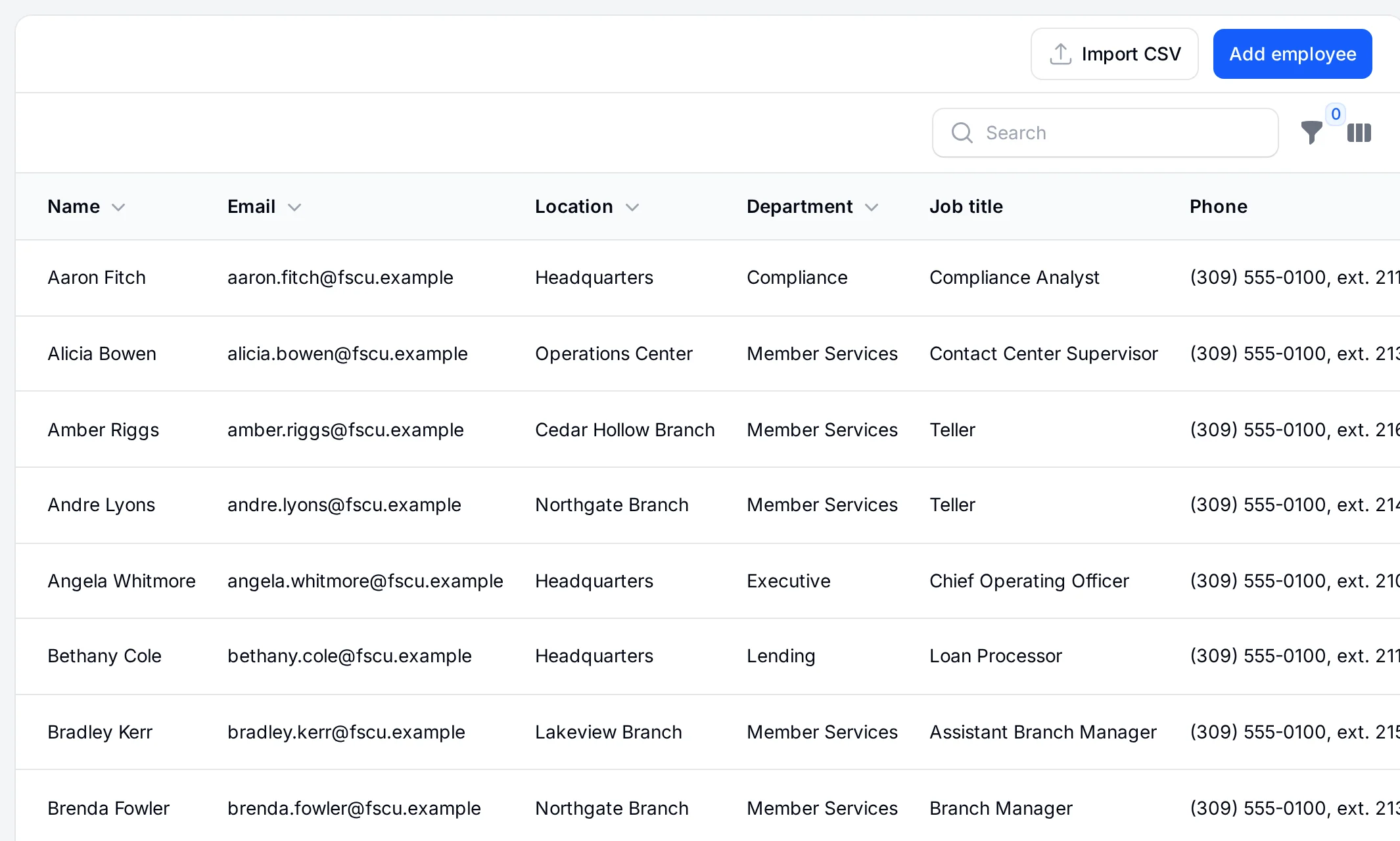
SCIM provisioning creates a TekStacks account for each person in the groups you assign and turns it off the moment they leave. The directory sync keeps your employee list matching an Entra group every 15 minutes: a new hire starts onboarding, and someone disabled in Entra is marked as departed so offboarding collects their equipment.

  • SCIM creates and turns off accounts from Entra
  • Employees synced from the group you choose, so service and guest accounts stay out
  • Onboarding and offboarding start on their own
  • People you already entered are matched, not duplicated
The employee list, filled from the credit union's Entra All Staff group, with job titles, departments and locations.
Start free trial 30 days free, no card needed