Skip to content
Stack 1 of 6: Assets Every plan, Labels on Team

IT asset management

Every laptop, desktop, phone and server: what it is, who has it, what covers it and when it is due to be replaced, with labels that scan.

Equipment

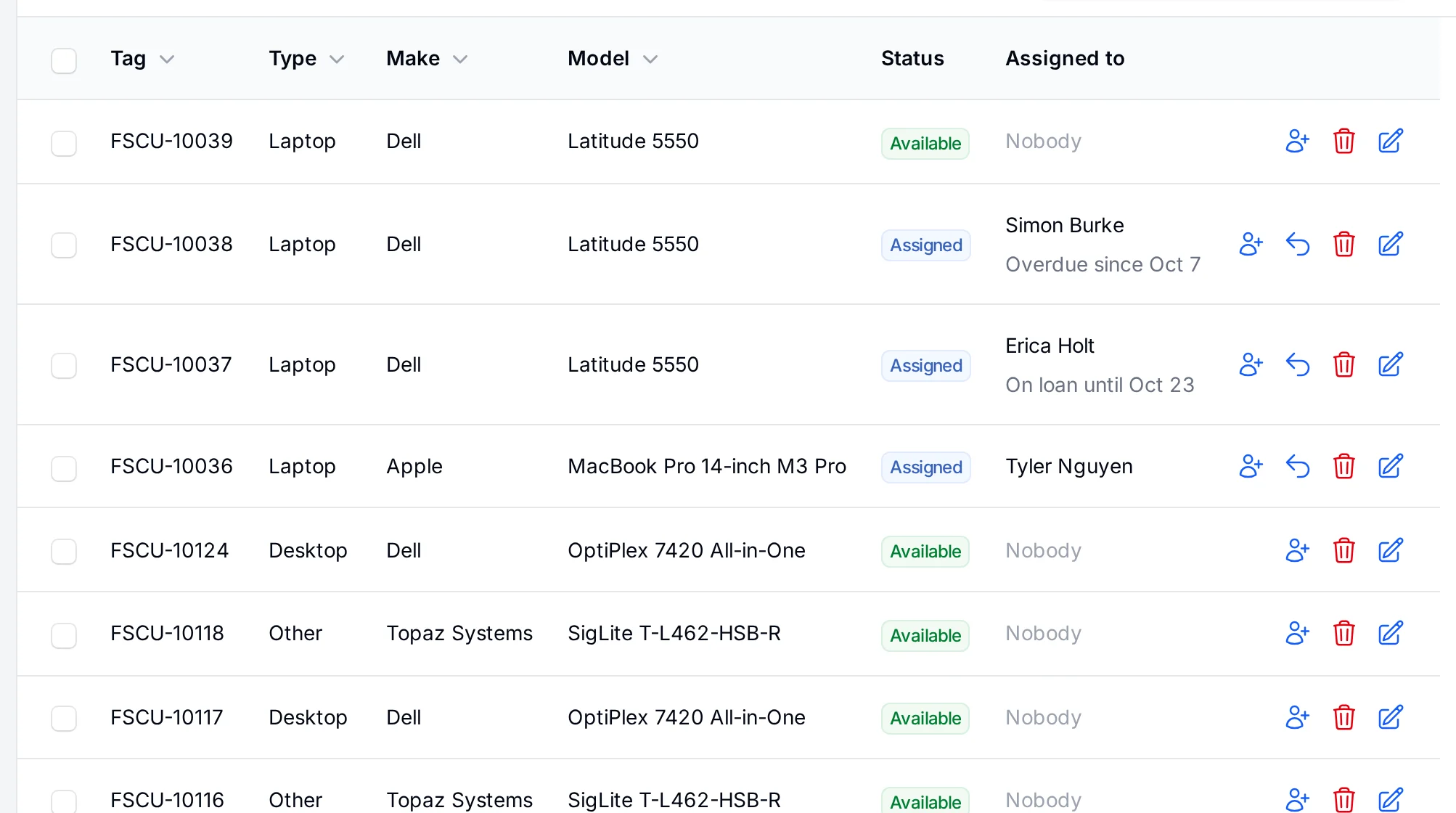
Every laptop, phone and server, and who has it

One list of everything you look after, with the numbers each brand prints on its labels: a Dell service tag and express service code, a Lenovo machine type, an HP product number. Switches, firewalls, UPS units and cameras are types of their own, with the details that matter for each, and servers keep their iDRAC or iLO link.

  • Filter by status, type, location or who holds it
  • Scan a tag, serial or QR label with your phone's camera, nothing to install
  • Your own fields, statuses and lists
The equipment list with tags, makes, models, status and who holds each laptop, desktop and signature pad.
Device library

Type the model, the details fill themselves

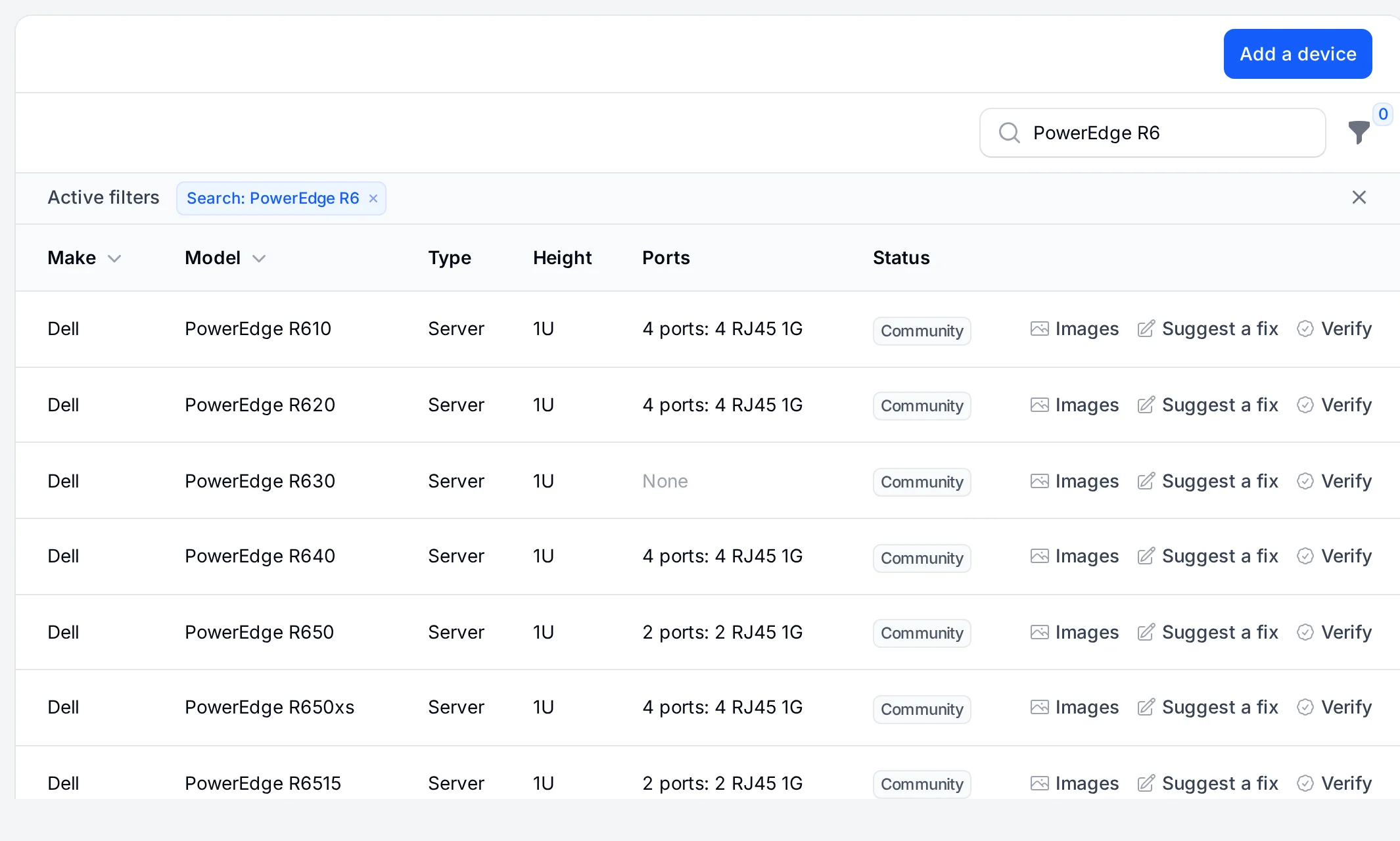
A shared library of thousands of devices: make, model, rack height, depth, ports and power. Pick a PowerEdge R650 on the equipment form and its details and port layout are filled in.

  • Thousands of switches, servers, firewalls and more
  • Real faceplates on your rack drawings
  • Add devices, confirm them and suggest fixes
The device library listing switches and servers with their rack height, ports and power, and which entries are verified.
History

Who had it, when, and what came back

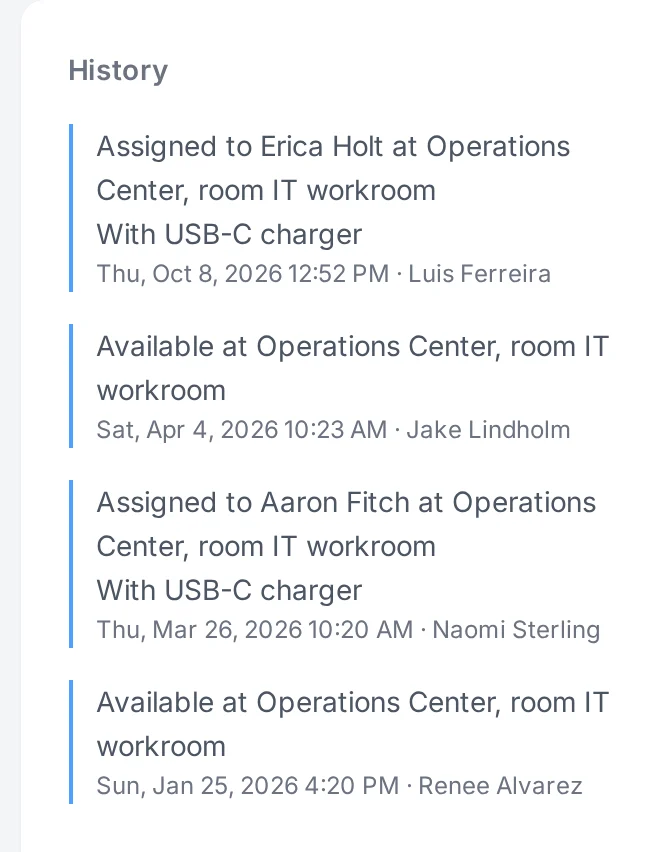
Hand out a laptop with the charger and dock that go with it. Every change of hands keeps a snapshot of who had it and where, so the past never rewrites itself when someone is renamed.

  • Assign, return and lend with due dates
  • Accessories travel with the equipment
  • Every change on record, with old and new values
An equipment page showing its details beside a timeline of who held it.
Labels Team and up

Labels that scan, from any printer

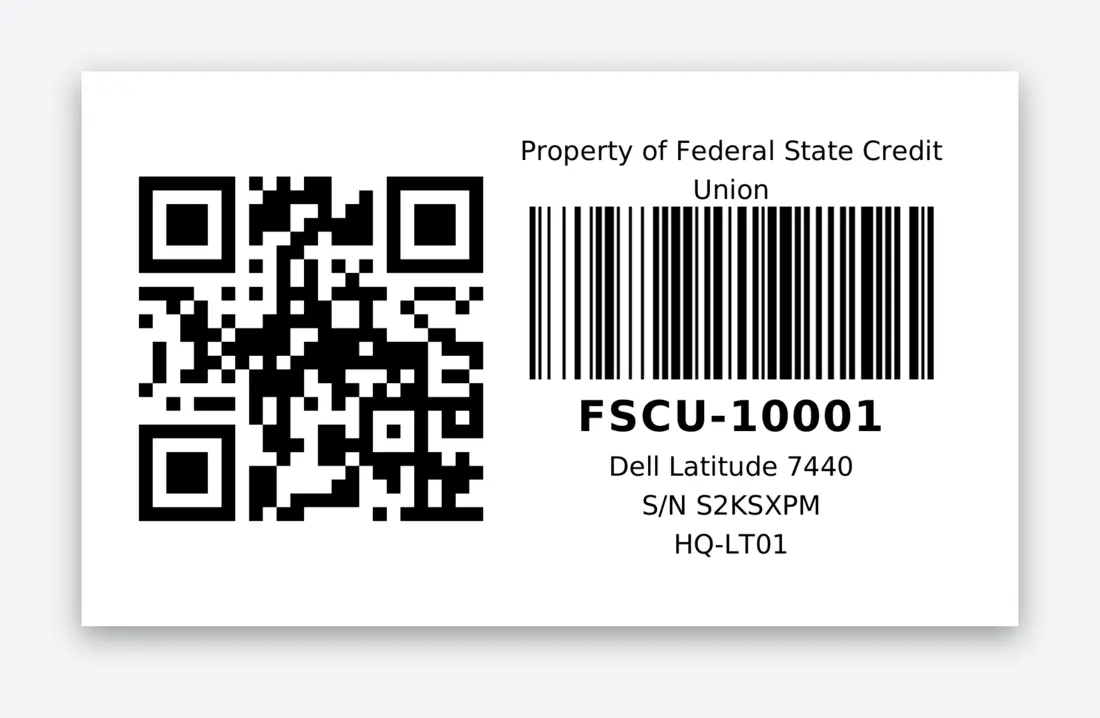
Every plan prints a QR label from any piece of equipment. Label templates add your own sizes and layouts, Code 128 barcodes, ZPL for Zebra printers and batch printing from any list.

  • QR and Code 128
  • PDF and ZPL output, including DYMO and Zebra sizes
  • Batch printing from a list
A label template preview with an asset tag barcode.
Lost and found

A QR label that brings equipment home

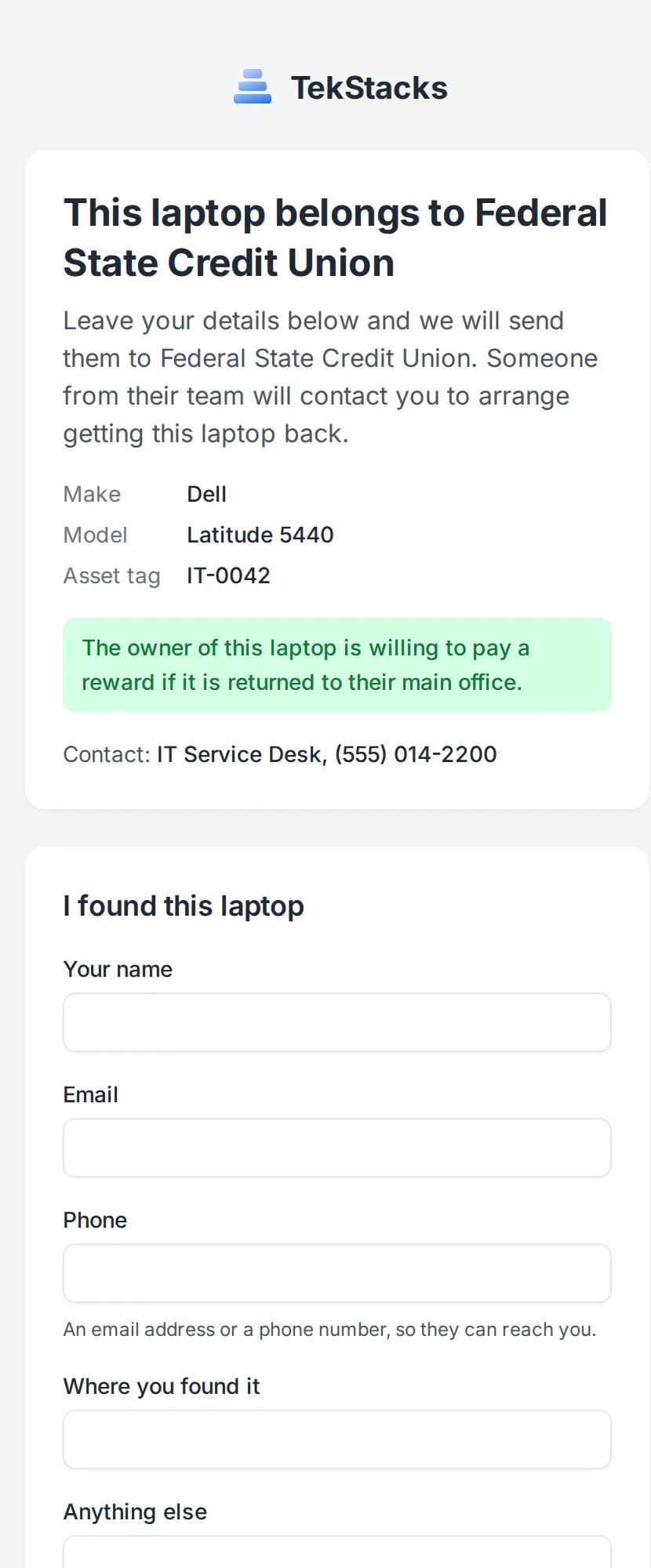
Each QR label holds a permanent link. Your staff scan it and the equipment opens. Anyone else who finds a lost laptop can tell you where it is, without seeing anything you have not chosen to show, and your team is told at once.

  • Staff open the equipment, strangers report it found
  • You choose what the page shows, and can mention a reward
  • Preview the page live before you turn it on
The page someone sees after scanning a lost laptop's QR label, with the owner's message and a form to report it found.
Start free trial 30 days free, no card needed