
IT asset management and documentation in one place
Know where every laptop is and who has it, with the runbooks, racks, licenses and renewals around it. For in-house IT, schools and government, and MSPs.
From the box to the recycler
The whole life of a piece of equipment, in one place.
Get it in fast
Pick the type and make, scan the serial and tag, and save and add the next one. Tags number themselves, and Code 128 labels print from any piece of equipment.
Know who has it
Hand equipment to an employee with the charger and dock that go with it. Every change of hands keeps a snapshot of who had it, where it was and how it was set up.
See it coming
See what reaches end of life and which warranties lapse next, then record how the equipment was disposed of and when its drive was wiped.

Everything IT looks after, in six stacks
Start with assets, then add documentation, network, software and the rest as you need them. Open a stack to see it in the real app.
-
01
Assets
Every plan, Labels on TeamEvery laptop, desktop, phone and server: what it is, who has it, what covers it and when it is due to be replaced, with labels that scan.
Equipment, Device library, History, Labels and Lost and found Explore this stack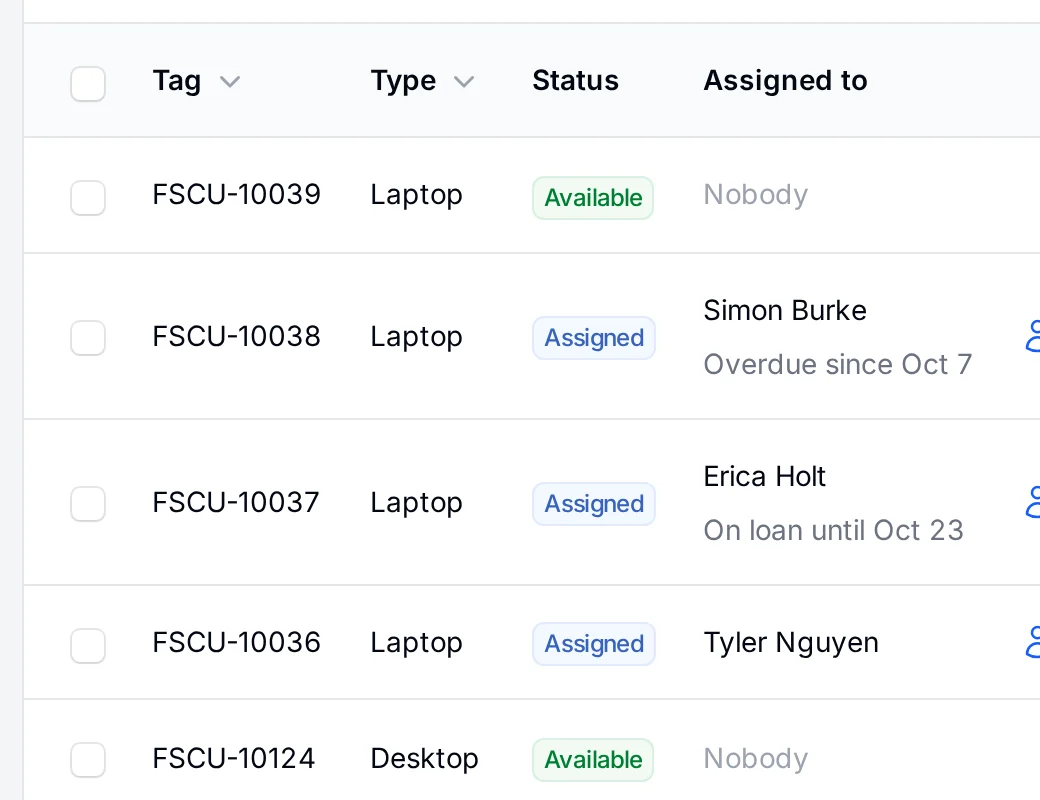
-
02
Documentation
Every plan, Files and snippets on TeamRunbooks, change records and the scripts that go with them, linked to the equipment they describe.
Documentation, Change management and Files and snippets Explore this stack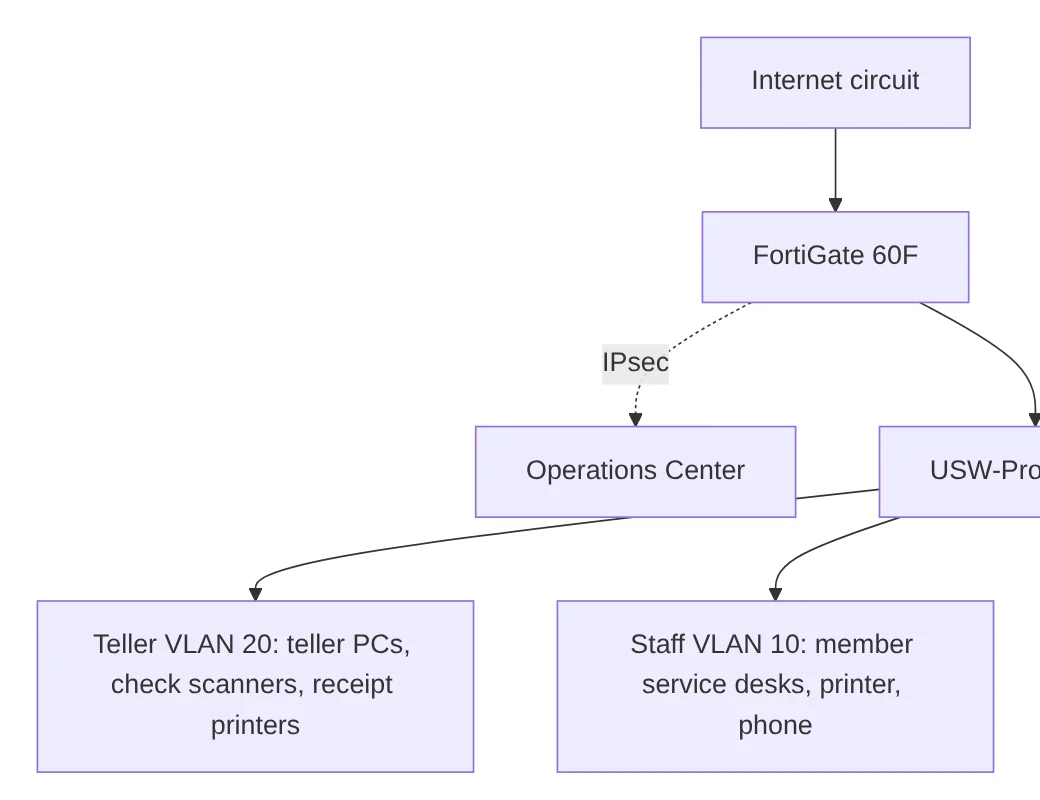
-
03
Network
Team and upRack elevations that draw themselves, every switch port and what it connects to, and the VLANs and addresses that tie it together.
Racks, Switch ports, Cables and IP addresses Explore this stack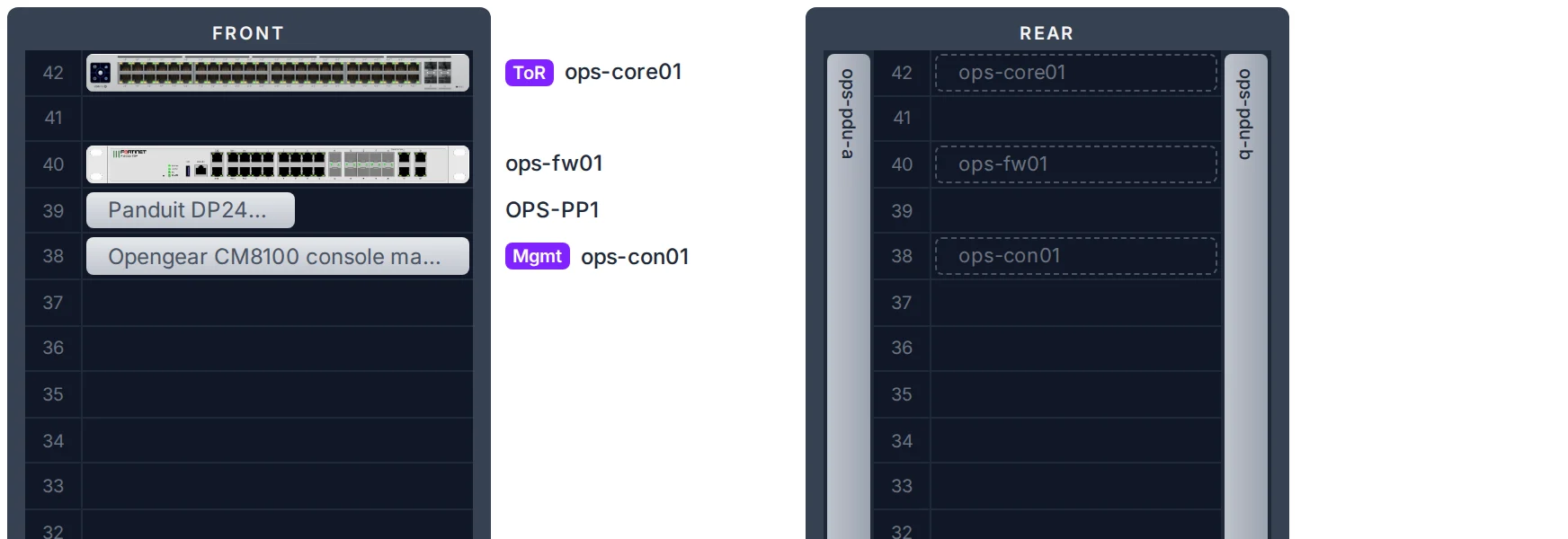
-
04
Software and renewals
Every plan, Domains and certificates on TeamLicense seats, domains, certificates and subscriptions, and one calendar of everything that renews or expires.
Software and licenses, Domains and certificates and Renewals Explore this stack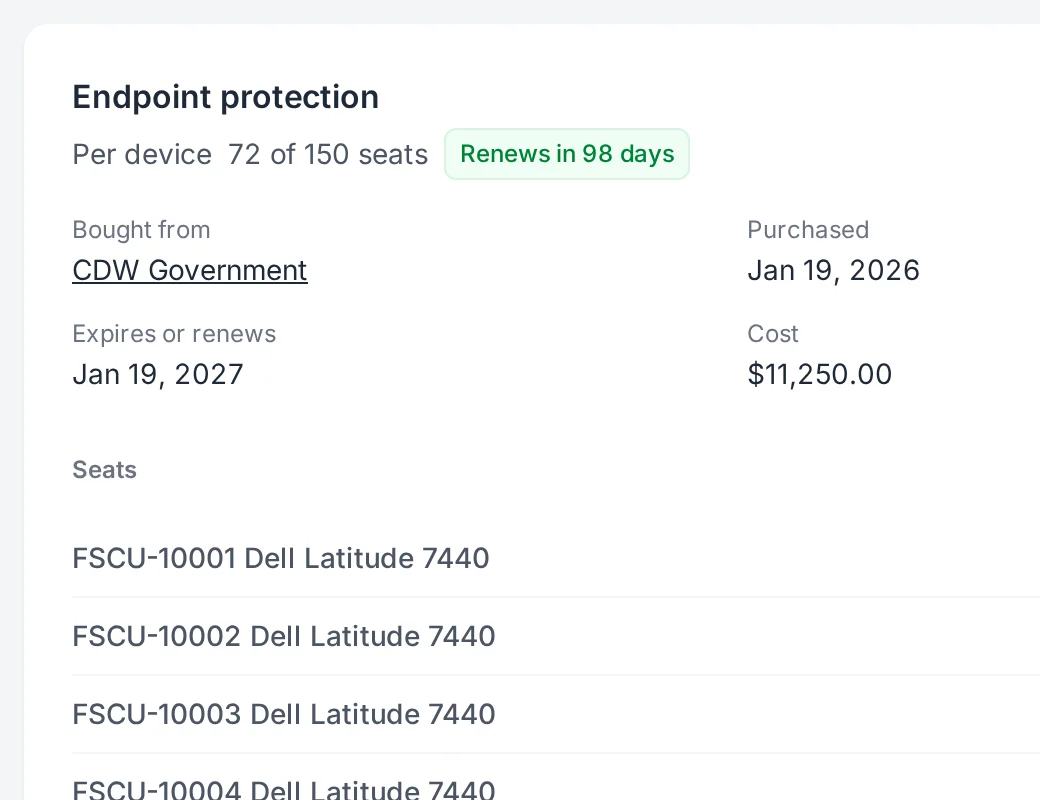
-
05
People and access
Onboarding and offboarding on every plan, the rest on PlusSet up new hires, get equipment back from departed users, and let Microsoft Entra ID decide who signs in and keep your employee list current.
Onboarding and offboarding, Your own address, Microsoft Entra ID and Provisioning and directory sync Explore this stack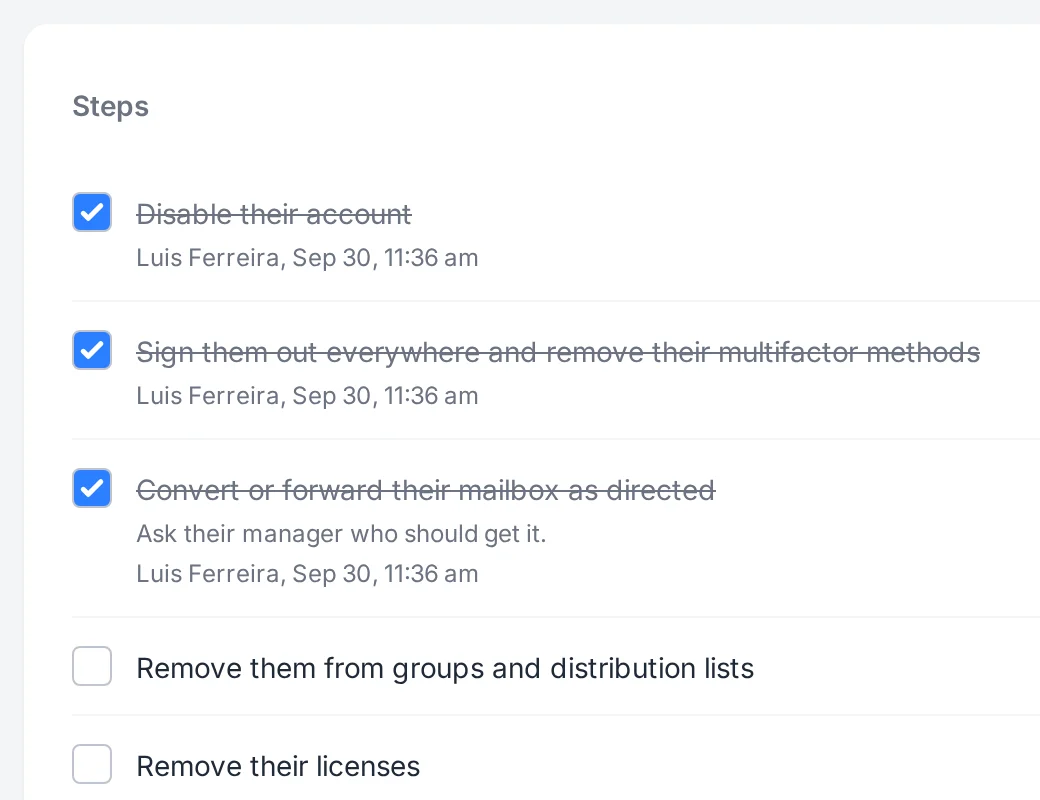
-
06
For MSPs
MSP planEvery client kept apart, with its own equipment, employees, documentation and network, one click away.
Explore this stack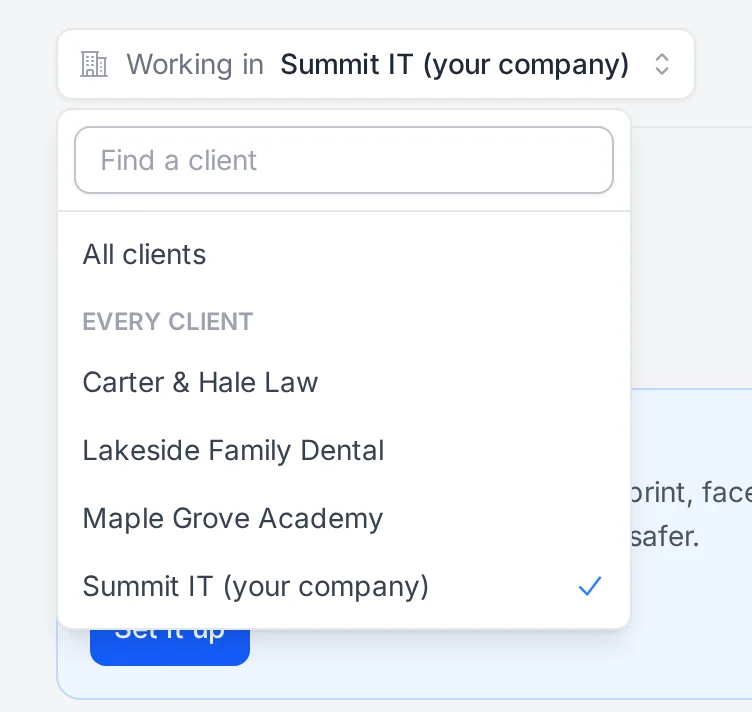


Whoever looks after the equipment
The same tool fits one office or many clients. Turn on only what you need.
Your own IT team
Every laptop, desk phone and dock your staff use, who has them, and when they are due to be replaced. Import employees from a spreadsheet, or sync them from Microsoft Entra.
Schools, government and nonprofits
Equipment spread across sites and departments, handed to staff and volunteers, with a record of what came back and what is still out.
Every client, kept apart
Turn on clients and each one gets its own equipment, employees, documentation and network. Switch between them or look across all of them.
More for MSPs, In-house IT, Corporate IT and Government and schools.
- Roles that fit the work. Admins, managers, technicians and viewers, each limited to what they need.
- Bring your list. Import employees from a spreadsheet and start assigning in minutes.
- Secure sign in. Passwords with multifactor (an emailed code or an authenticator app), passkeys, and optional Microsoft Entra ID single sign on.